
 Julia Chirkova
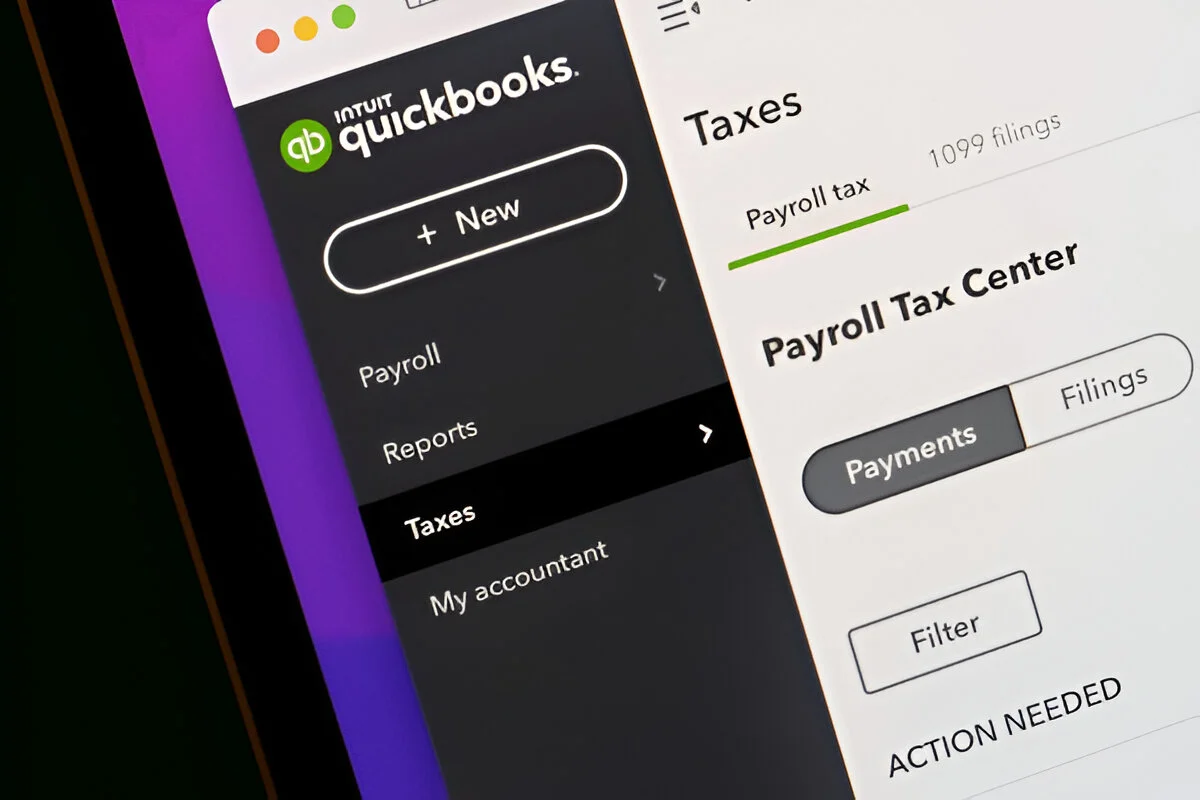
Intuit is significantly expanding the role of artificial intelligence within QuickBooks Online, moving far beyond basic transaction suggestions to offer a sophisticated suite of specialized AI capabilities designed to streamline a wide array of business operations. This strategic evolution transforms AI from a standalone chatbot into an integrated "digital teammate" embedded directly into core business workflows. The new offerings aim to assist businesses in categorizing transactions, managing invoice follow-ups, understanding financial performance, handling payroll tasks, and proactively identifying potential accounting issues. However, Intuit emphasizes that user oversight remains paramount, with AI serving as a powerful assistant rather than a replacement for professional judgment.
The core principle underpinning Intuit’s AI integration is user control and oversight. While AI tools are capable of preparing information, suggesting actions, and automating certain tasks, business owners and accounting professionals retain the responsibility for reviewing exceptions, managing permissions, and verifying the accuracy of accounting and tax treatments. Intuit’s documentation explicitly frames its advanced accounting analysis features as supplemental reviews, designed to enhance, not supplant, professional expertise. This approach acknowledges the inherent complexities of financial management and the critical need for human discernment in critical decision-making processes.
Intuit AI is presented as a collection of specialized capabilities, each tailored to a specific business function, working in concert to provide actionable insights and automate tasks with user permission. This integrated approach allows AI to surface relevant information and act within established business processes, fostering a more seamless and efficient operational environment.
Eight Key AI Capabilities Integrated into QuickBooks Workflows
Intuit’s overview highlights eight distinct areas where its AI capabilities are being deployed within QuickBooks Online:
- Accounting AI: Focuses on enhancing bookkeeping accuracy and efficiency through transaction review, information requests, reconciliation support, and issue identification.
- Payments AI: Aims to optimize invoice follow-up by analyzing payment behavior, recommending collection strategies, and drafting personalized reminders.
- Finance AI: Provides deeper insights into overall financial performance by consolidating financial views, offering strategic assistance, and conducting ongoing performance analysis.
- Customer AI: Supports sales and client workflows by assisting with lead generation, qualification, outreach, proposals, and client task management.
- Project Management AI: Connects budgets and profitability for project-based businesses by aiding in budget creation, monitoring project economics, and recommending corrective actions.
- Payroll AI: Reduces administrative burdens in payroll processing by assisting with employee information collection, detail interpretation, and task management.
- Sales Tax AI: Supports sales tax compliance by aiding in the categorization of products and services and reviewing returns for potential errors.
- Business Tax AI: Aims to identify potentially overlooked deductions by analyzing industry, location, and business details to find gaps in financial records.
It is crucial to note that not every QuickBooks Online subscriber will have access to all these capabilities. Availability is contingent upon the specific product, subscription level, any supporting services utilized, and the current feature rollout schedule. For instance, while Accounting AI is documented for Essentials, Plus, and Advanced tiers, more advanced accounting analysis features are exclusive to Plus or Advanced subscriptions.
Understanding the Nuance: Intuit AI vs. Intuit Intelligence
Intuit employs the term "Intuit AI" to delineate specific, specialized capabilities like Accounting AI and Payments AI. In parallel, "Intuit Intelligence" is marketed as a broader, embedded intelligence experience. This experience is grounded in a business’s own data, aiming to provide explanations, proactive alerts, and assistance across various financial workflows.
The practical distinction is important for users. While an individual might interact with a specific AI feature, such as when reviewing bank transactions or invoices, "Intuit Intelligence" refers to the more holistic, interconnected experience of understanding information and driving action. Neither term should be interpreted as a blanket guarantee of feature availability across all QuickBooks accounts.
Deep Dive into Accounting AI: Fortifying Financial Records
Accounting AI directly addresses some of the most time-consuming aspects of bookkeeping. Beyond the basic AI-powered bank transaction suggestions available across all QuickBooks subscriptions, this advanced AI tackles transaction review, information requests, reconciliation support, and the proactive identification of potential accounting problems.
Reviewing Transactions Ready for Posting: The "Ready to post" feature is a prime example of Accounting AI’s efficiency gains. It intelligently groups transactions for which the AI has high confidence in its suggestions regarding category, customer, or vendor. Users can then review this consolidated group, make necessary adjustments, and post them collectively. This significantly reduces the need for repetitive, individual transaction reviews. However, it doesn’t eliminate the necessity of evaluating the contextual business purpose or verifying supporting documentation for each transaction.
Tracking Automatically Posted Transactions: Accounting AI also enhances transparency for transactions that are automatically matched or posted. Intuit provides examples involving eligible payroll payments and bills paid via QuickBooks Bill Pay. These automatically processed items are clearly identified through notifications and distinct badges within the transaction workflow. The critical distinction for accounting teams lies in understanding whether they are reviewing a proposed posting or an action already completed through an authorized automated process.
Requesting Missing Information: When transactions lack sufficient context, QuickBooks Online, powered by Accounting AI, can generate and send a link. This allows accountants, clients, or team members to provide the necessary details and upload supporting files. Accounting AI assists in verifying whether adequate receipts and information have been supplied. For firms managing numerous clients, this structured approach to requesting transactional information offers a more organized alternative to fragmented email chains, keeping queries directly linked to the transactions requiring attention.
Assisting with Reconciliation: For users of QuickBooks Online Plus and Advanced, Accounting AI offers valuable assistance in identifying potential reconciliation discrepancies and suggesting possible resolutions. Intuit has also introduced an updated reconciliation view that presents statement information alongside QuickBooks transactions for easier side-by-side comparison. This AI-driven assistance can significantly narrow the scope of searches for discrepancies, though it does not negate the need for a thorough review to ensure accurate reconciliation.
Identifying Potential Issues in Reports: Accounting AI’s analytical capabilities extend to Balance Sheet and Profit and Loss reports. It can analyze trends to flag potential accounting problems. Examples cited in Intuit’s documentation include:
- Unusual fluctuations in key accounts: Identifying unexpected large increases or decreases in balance sheet or P&L accounts.
- Inconsistent trends: Spotting deviations from established historical patterns in financial data.
- Significant changes in account balances: Highlighting accounts with substantial month-over-month or year-over-year shifts.
This feature can provide root-cause explanations and generate detailed downloadable reports. However, Intuit notes that its coverage extends to a majority, not all, relevant accounts. Therefore, this capability should be viewed as a valuable supplement to the close process, not a replacement for a comprehensive review.
Payments AI: Streamlining the Collection Process
Payments AI is specifically designed to enhance how businesses manage customer payments and follow up on outstanding invoices. Intuit states that it can analyze customer payment behavior, recommend effective collection strategies, draft personalized reminder messages, and suggest recurring payment setups where appropriate.
For businesses that frequently encounter late payments, Payments AI can provide significant assistance by drafting reminders tailored to the specific customer’s payment history. The benefit here is not merely an increase in communication volume, but the potential for more relevant and effective outreach with reduced manual preparation.
Intuit’s Payments AI page also details recommendations for customizable late fees and the integration with Customer AI to transform customer emails into draft estimates ready for review. Any proposed fees or communications should, of course, be carefully reviewed against the business’s established terms and its ongoing customer relationships. Payments AI is currently available with QuickBooks Online Essentials, Plus, and Advanced, as well as the Intuit Enterprise Suite.
Finance AI: Translating Financial Data into Actionable Insights
Finance AI moves beyond individual transaction analysis to help users understand their overall financial performance. Intuit describes a consolidated financial overview, assistance with business strategy formulation, and continuous performance analysis. According to product update documentation, QuickBooks Online Advanced users receive monthly performance summaries and recommendations tied to key performance indicators (KPIs). Recent enhancements include narrative explanations of financial results and monitoring that flags unusual KPI movements, suggesting appropriate next steps.
This distinction between reporting and interpretation is significant. A financial report might simply show an increase in expenses; an AI-generated narrative can help a business owner pinpoint which specific changes warrant closer attention. The accuracy and usefulness of this narrative remain dependent on the underlying financial records and should always be cross-referenced with the operational context of the business.
Customer AI: Bolstering Sales and Client Engagement
Customer AI is engineered to support various stages of the sales cycle and client management. This includes assistance with lead generation, qualification, customer outreach, proposal development, and general client-related tasks. Intuit also highlights support for maintaining client notes and tasks with a reduction in manual data entry.
These capabilities effectively extend QuickBooks’ utility beyond merely recording completed sales. They bridge financial workflows with earlier phases of customer engagement, encompassing opportunities and proposals. However, businesses should verify that these customer management features are included in their specific accounting subscription, as advanced functionalities may require specific product configurations or additional services.
Project Management AI: Bridging Budgets and Profitability

Intuit describes Project Management AI as a tool designed to support the entire bid-to-profit cycle for project-based businesses. Its intended functions include facilitating budget creation, coordinating with customer and financial workflows, actively monitoring project profitability, identifying deviations from projections, and recommending corrective actions.
For businesses that operate on a project-by-project basis, the appeal of this AI lies in its ability to provide earlier visibility into evolving project economics. A project might appear profitable during the initial proposal stage, but changing costs or scope creep can erode that profitability. Proactive monitoring of these shifts can help project managers identify areas requiring further investigation and intervention. Currently, Intuit’s AI product listing labels Project Management AI as being in beta. Businesses considering its use should confirm eligibility and understand the limitations inherent in a beta release before relying on it for critical project controls.
Payroll AI: Easing Administrative Workload
Payroll AI is intended to simplify the collection of employee information, interpret submitted payroll details, and manage various payroll tasks. While it aims to reduce administrative burdens, it crucially involves payroll managers for confirmations and approvals, ensuring human oversight in critical processes.
The primary role of Payroll AI is administrative assistance within the payroll process. Businesses must still diligently verify employee information, compensation changes, pay period details, and applicable tax settings before approving payroll. It is also important to evaluate Payroll AI separately from the core accounting subscription. Intuit’s overview typically includes QuickBooks Online Payroll products, meaning users must confirm their specific payroll plan and the available functionality rather than assuming it is universally included with every QuickBooks Online account.
Sales Tax AI: Supporting Categorization and Filing Accuracy
Sales Tax AI is designed to assist businesses with the categorization of products and services for sales tax purposes and to review sales tax returns for potential errors before filing. According to Intuit’s overview, this can foster a more consistent workflow for sales tax compliance. However, it is crucial that this feature is not treated as an independent legal determination of a business’s sales tax obligations. Businesses and their tax advisors must still evaluate the specific facts underlying their classification and filing decisions. The most practical application of this AI assistance is its ability to surface potential problems early enough for a responsible party to investigate them thoroughly.
Business Tax AI: Uncovering Potential Deductions
Business Tax AI generates a personalized list of potentially overlooked deductions by analyzing a business’s industry, location, and other relevant details. Intuit indicates that it identifies gaps in financial records and assists users in adding eligible deductions directly within the QuickBooks platform. The inclusion of the word "potentially" is critical here. A suggested deduction serves as a starting point for review, not definitive proof of eligibility. Users are advised to retain supporting documentation and consult with tax professionals for uncertain tax treatments before relying on these suggestions.
Eligibility: Which QuickBooks Online Plans Include AI?
There isn’t a single, universal answer regarding AI feature availability across all QuickBooks Online plans. Intuit’s documentation provides varying levels of detail for different features.
| Capability | Documented QuickBooks Online Availability |
|---|---|
| AI-powered bank-transaction suggestions | Available across all QuickBooks subscriptions |
| Accounting AI | Essentials, Plus, and Advanced |
| Advanced Accounting AI (reconciliation, report analysis) | Plus and Advanced |
| Payments AI | Essentials, Plus, and Advanced |
| Finance AI | Advanced |
| Project Management AI | Listed as beta; account eligibility requires confirmation |
| Payroll, Customer, Sales Tax, Business Tax AI | Confirm applicable subscription, service requirements, and rollout status |
The specific eligibility details for accounting features are sourced from Intuit’s support documentation. Payments AI and Finance AI eligibility are specified on Intuit’s product pages and in their update announcements. It is important to consult these resources directly, as the broader AI overview should not be taken as an entitlement list for every feature.
Key Benefits for Businesses and Accountants
The most impactful use cases for Intuit AI stem from its ability to automate specific, recurring problems within established workflows.
- Reduced Repetitive Transaction Work: Features like "ready-to-post" transaction groups, automated matching, and structured information requests significantly diminish the manual effort traditionally required to prepare financial records for review.
- More Consistent Invoice Follow-Up: Payments AI assists businesses in preparing reminders and evaluating collection strategies more efficiently, eliminating the need to draft each communication from scratch.
- Earlier Visibility into Potential Problems: AI-driven reconciliation assistance and report analysis can proactively alert reviewers to potential discrepancies, unusual trends, and other accounting issues, allowing for timely intervention.
- More Accessible Financial Explanations: Finance AI’s summaries and narratives can help business owners better understand performance data that might otherwise be confined to complex reports, fostering greater engagement with their financial health.
These are workflow enhancements, not guarantees of error-free accounting, accelerated collections, or guaranteed profit increases. Actual outcomes are dependent on the quality of a business’s records, its configuration of QuickBooks, its internal processes, and how effectively users leverage these AI tools.
Navigating Limitations, Permissions, and Human Review
Intuit’s product descriptions consistently emphasize user control, clear explanations, robust permission settings, and reviewable actions. The Intuit Intelligence page also details role-based guardrails and a change history log. Businesses are strongly encouraged to examine the specific controls for each AI feature they utilize, rather than assuming uniform behavior across all workflows.
A practical review process should incorporate the following:
- Verification of AI-generated suggestions: Always review AI-proposed categorizations, matches, and actions before finalizing them.
- Contextual understanding: AI suggestions are based on patterns; human judgment is needed to assess the unique business context of each transaction.
- Permission management: Ensure that appropriate access levels are maintained, restricting AI actions to authorized users and processes.
- Regular audits: Periodically review AI activity logs and settings to ensure they align with business needs and security protocols.
- Integration with existing workflows: AI should enhance, not disrupt, established accounting and financial processes.
- Training and education: Users should be trained on how to effectively use and interpret AI features, understanding their capabilities and limitations.
A notable product limitation highlighted by Intuit is the current inability to individually disable specific AI features. This underscores the importance of thoroughly understanding the available settings, permissions, and approval options within each workflow to manage AI’s influence effectively.
Responsible Adoption of Intuit AI
To begin using Intuit AI responsibly, businesses should follow a structured approach:
- Confirm Available Features: Thoroughly review your QuickBooks Online subscription details and the features visible within your account. Consult Intuit’s official support documentation to confirm eligibility for specific AI capabilities, rather than relying solely on demonstrations or marketing materials.
- Start with Defined Workflows: Begin by implementing AI in narrow, well-defined tasks, such as reviewing "ready-to-post" bank transactions or drafting invoice reminders. These are documented use cases where the results can be easily inspected by a user before wider automation is deployed.
- Assign Clear Review Responsibility: Designate specific individuals responsible for evaluating proposed transactions, investigating accounting issues flagged by AI, and approving payroll or customer communications. Automation functions most effectively when clear ownership of oversight remains in place.
- Evaluate the Results Critically: Compare the time savings, the quality of AI suggestions, and the number of corrections required against pre-AI benchmarks. A feature is truly beneficial when it improves the complete workflow, including the review process, and not merely when it generates an output rapidly.
Distinguishing Intuit AI from QuickBooks Desktop Hosting
It is important to distinguish Intuit AI within QuickBooks Online from cloud hosting solutions for QuickBooks Desktop. QuickBooks Online is a distinct, browser-based product, whereas hosted Desktop solutions run the Desktop application on remote servers. Intuit’s own documentation clearly delineates these deployment models.
For businesses seeking remote access while retaining their established QuickBooks Desktop workflows, options like QuickBooks Desktop hosting with Sagenext offer a potential solution. These services typically provide hosting for licensed Desktop applications with features such as multi-user access, daily backups, and 24/7 support. Such provider-described features should be verified against the proposed service agreement. Crucially, hosting QuickBooks Desktop does not transform it into QuickBooks Online nor does it automatically grant access to the Online-specific AI capabilities discussed in this article. The decision between QuickBooks Online and hosted Desktop should be based on whether a business requires the unique workflows offered by QuickBooks Online or prefers to maintain a supported Desktop environment with remote accessibility.
Conclusion
Intuit AI’s integration into QuickBooks Online represents a significant advancement, offering specialized assistance across bookkeeping, payment processing, financial analysis, and other critical business functions. Its most practical value lies in its ability to connect AI-driven suggestions and automation directly to the financial records and workflows that businesses already manage.
Businesses are encouraged to adopt a feature-by-feature evaluation approach: confirm eligibility based on their subscription, understand precisely what actions the AI is automating, maintain appropriate human review processes, and rigorously test the results against real-world financial data. When implemented thoughtfully and with appropriate oversight, AI can significantly enhance the efficiency of accounting processes without compromising accountability for the accuracy of financial records.
ABOUT THE AUTHOR: Jamil Akhtar is the Digital Marketing Manager at Sagenext Infotech, a provider of cloud hosting services for U.S. tax and accounting professionals. He specializes in digital strategy for CPA firms, with a focus on tax and accounting workflows, QuickBooks hosting, and cloud infrastructure for various professional applications.